A waitlist that fills cancellations for you
When a client cancels, the longest-waiting person on your list gets a text and an email with a claim window. If they pass, the next person is up. No calls, no paper list.
Booking software
Clients pick their technician, and a full set takes an hour longer than a fill. A salon calendar has to know both, or the person doing the intricate work gets stacked while somebody else sits idle. BookingHub gives every technician their own book and blocks each service for the time it really takes.
See it in action
These are the real screens you get on day one. Scroll through a normal day on a laptop, a tablet and a phone, with bookings coming in from every kind of business.
01Calendar
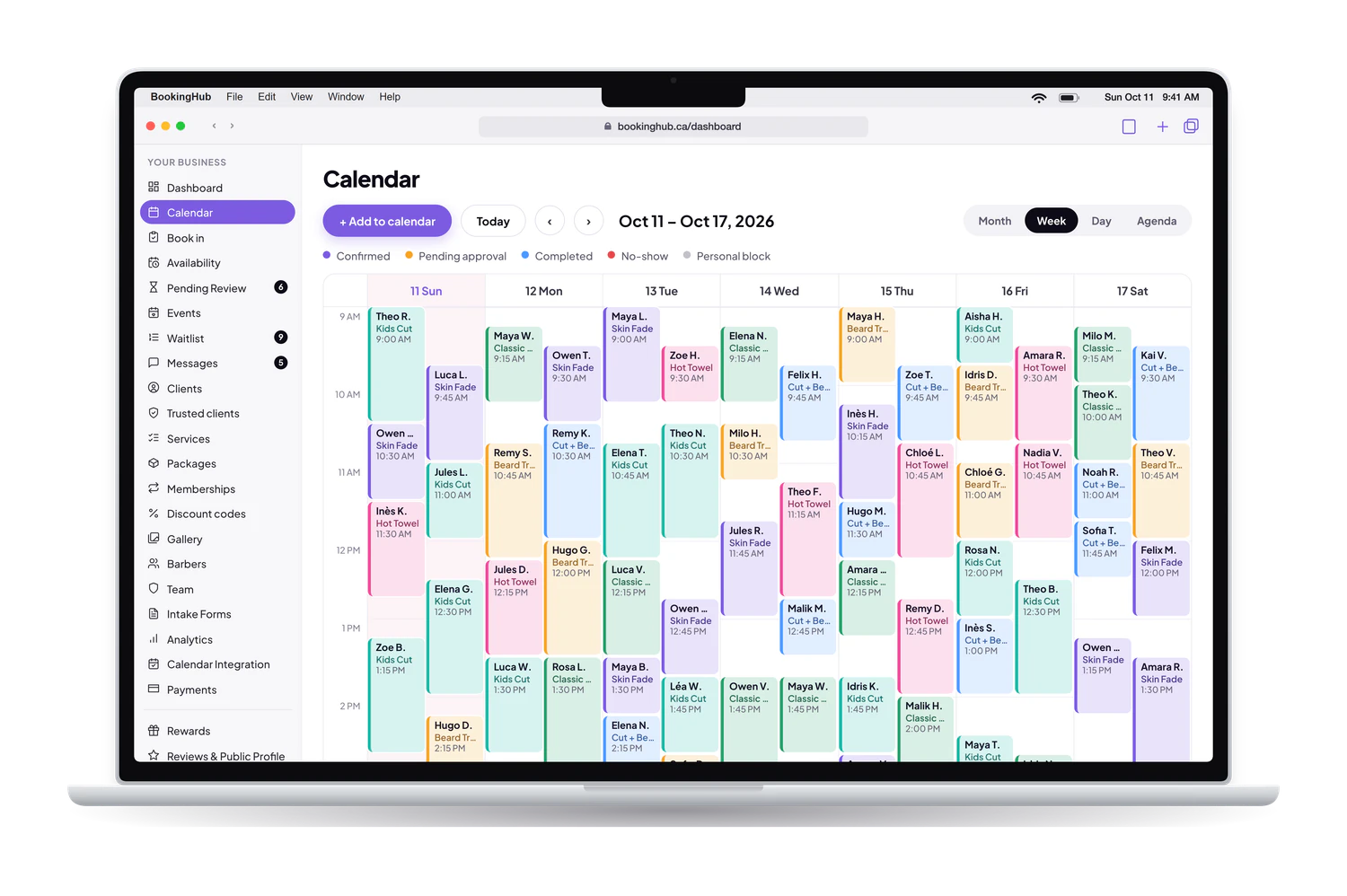
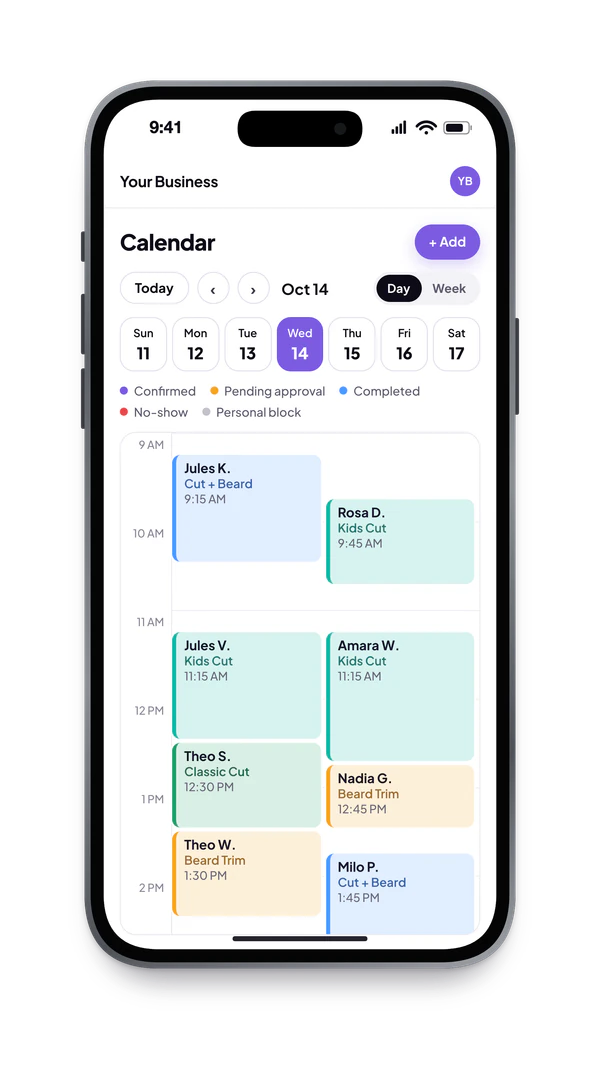
Every booking takes the colour of its service, so a full week makes sense in one look. Bookings at the same time sit side by side, never on top of each other.
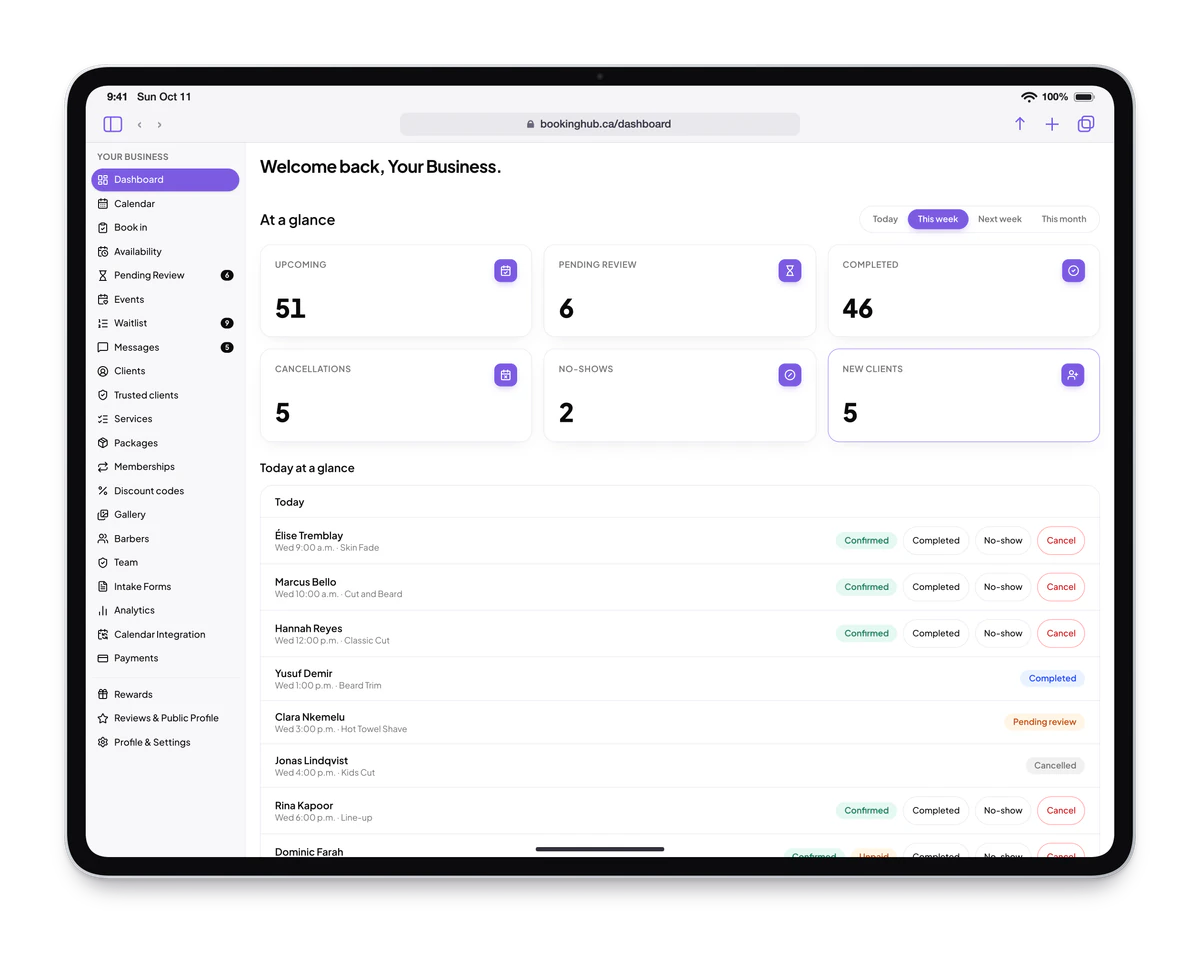
02Dashboard
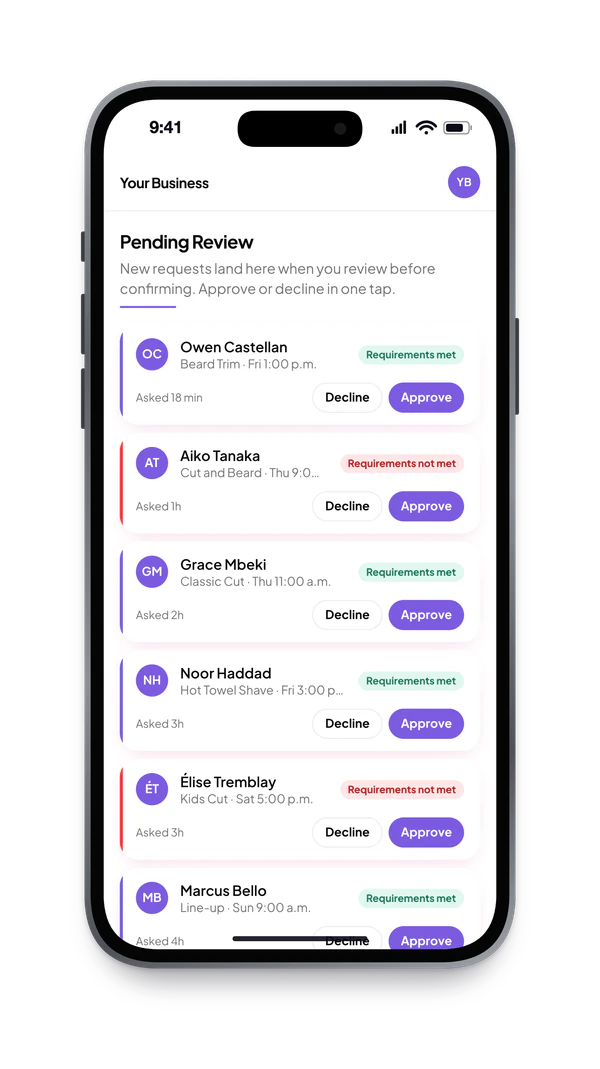
The moment you sign in: what is coming up, what is waiting for your approval and who is new. Approve or decline a request in one tap, right from your phone.
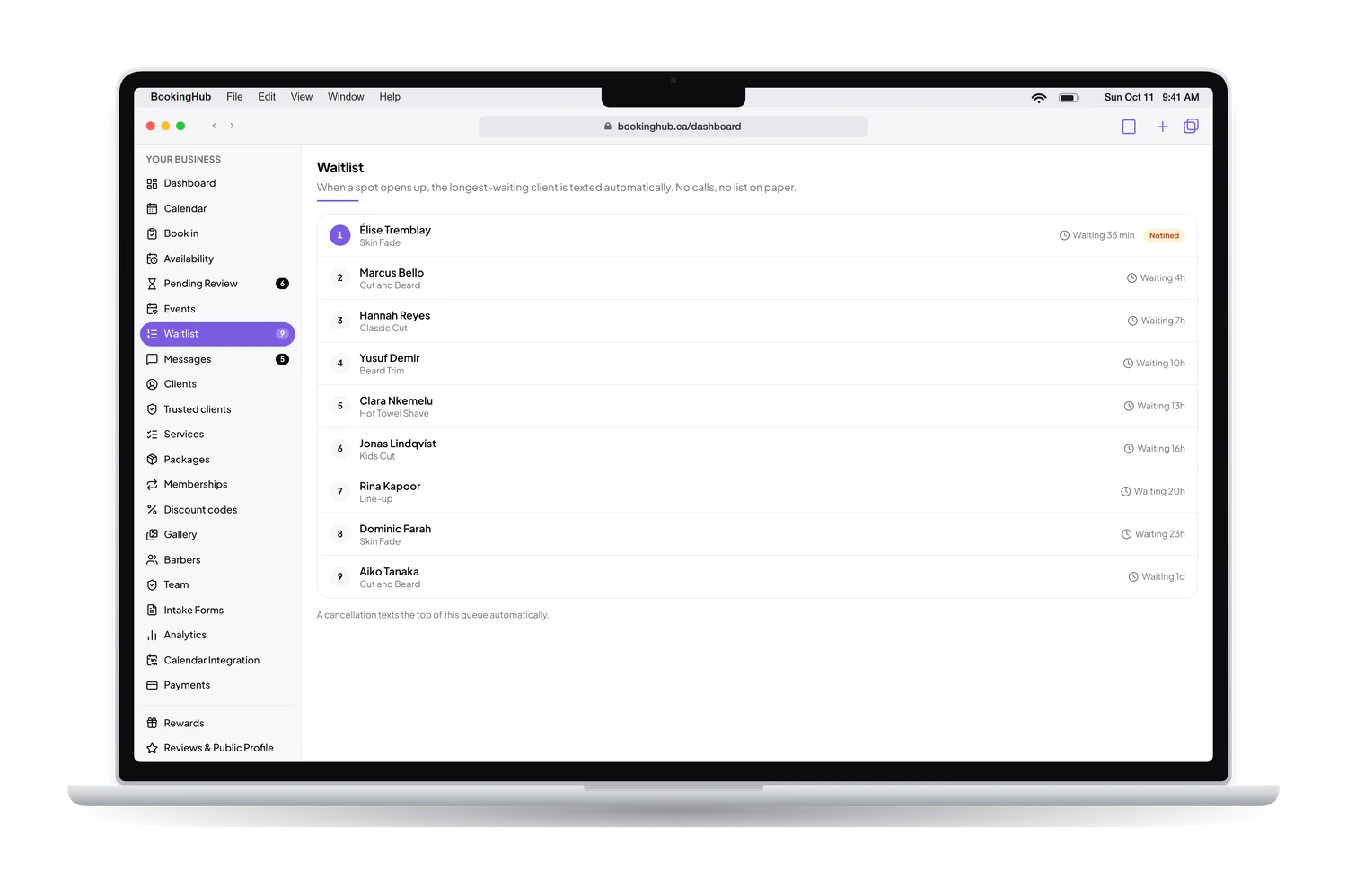
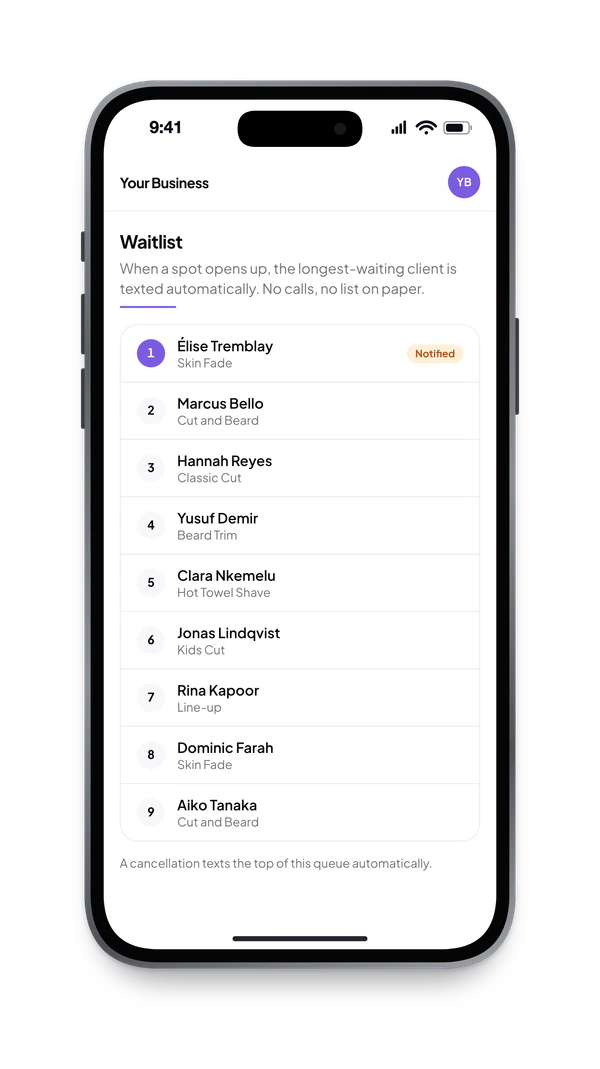
03Waitlist
When someone cancels, the longest-waiting client gets a text and an email with a window to claim the spot. If they pass, the next person is up. You do nothing.
04Messages
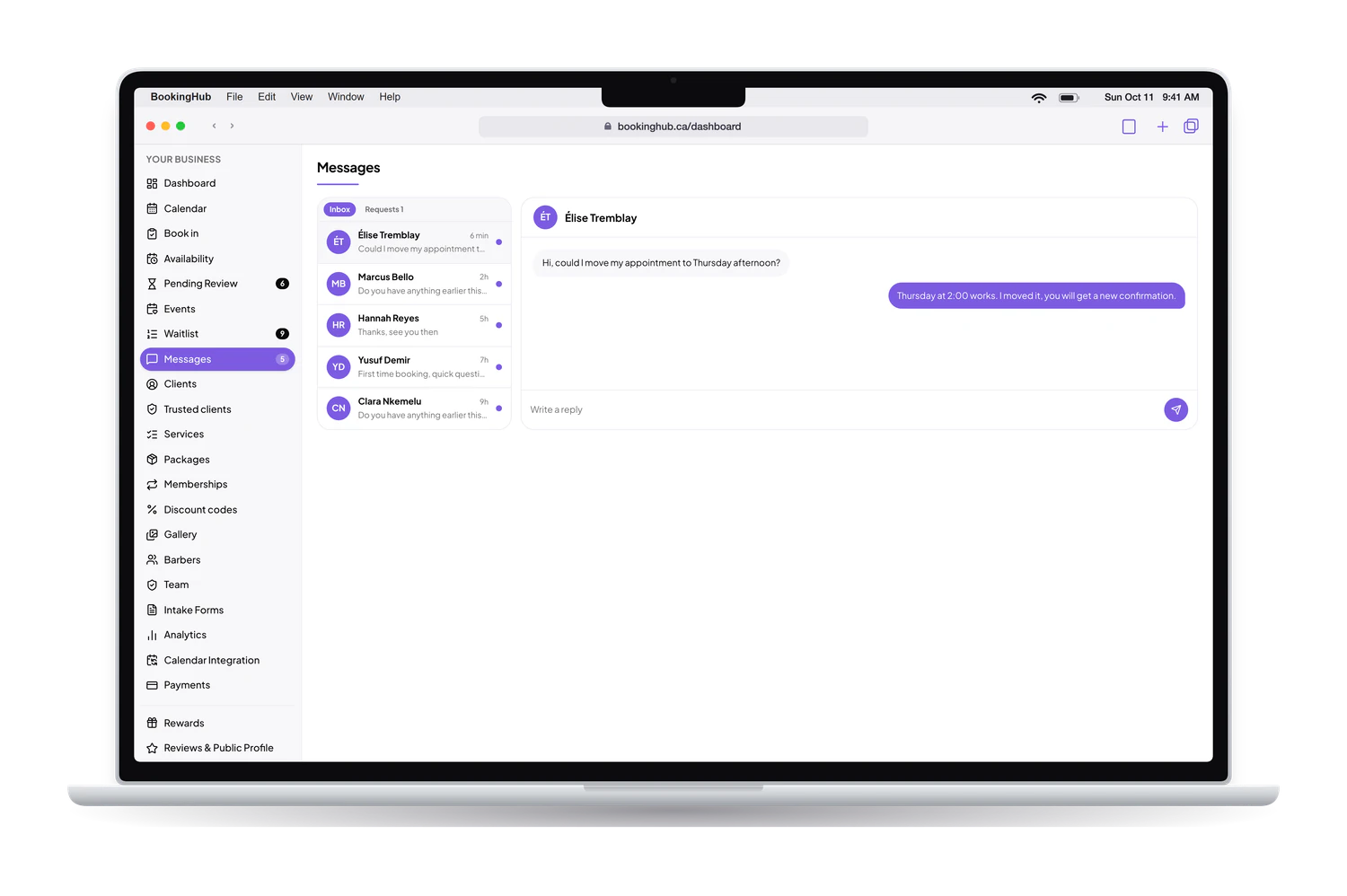
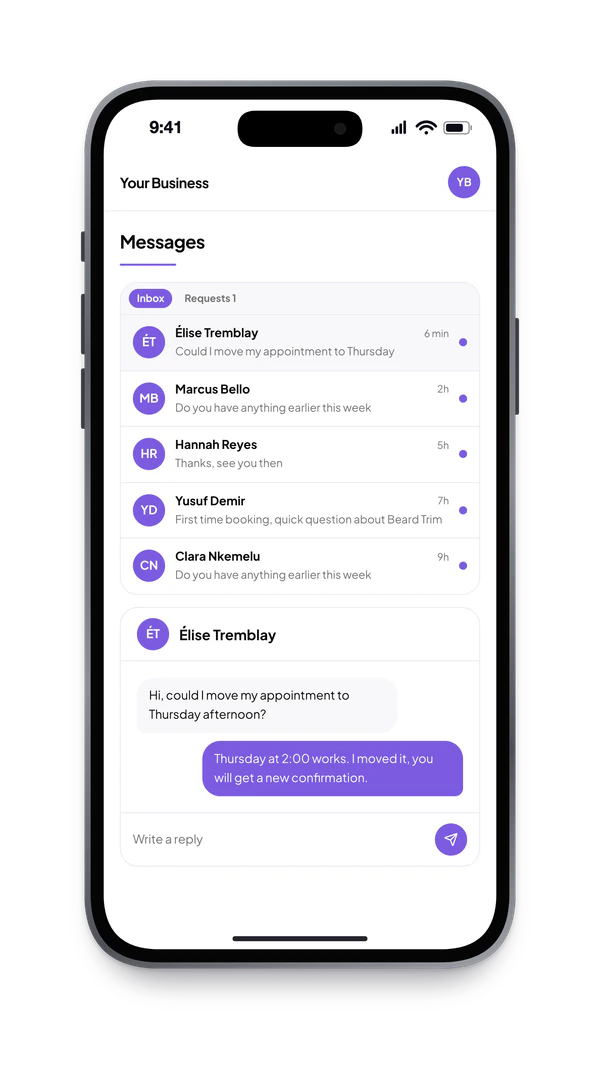
Clients write from their booking and you answer from the dashboard or your phone. Every thread stays on the client's record, so anyone on the team can pick it up.
05Packs and memberships
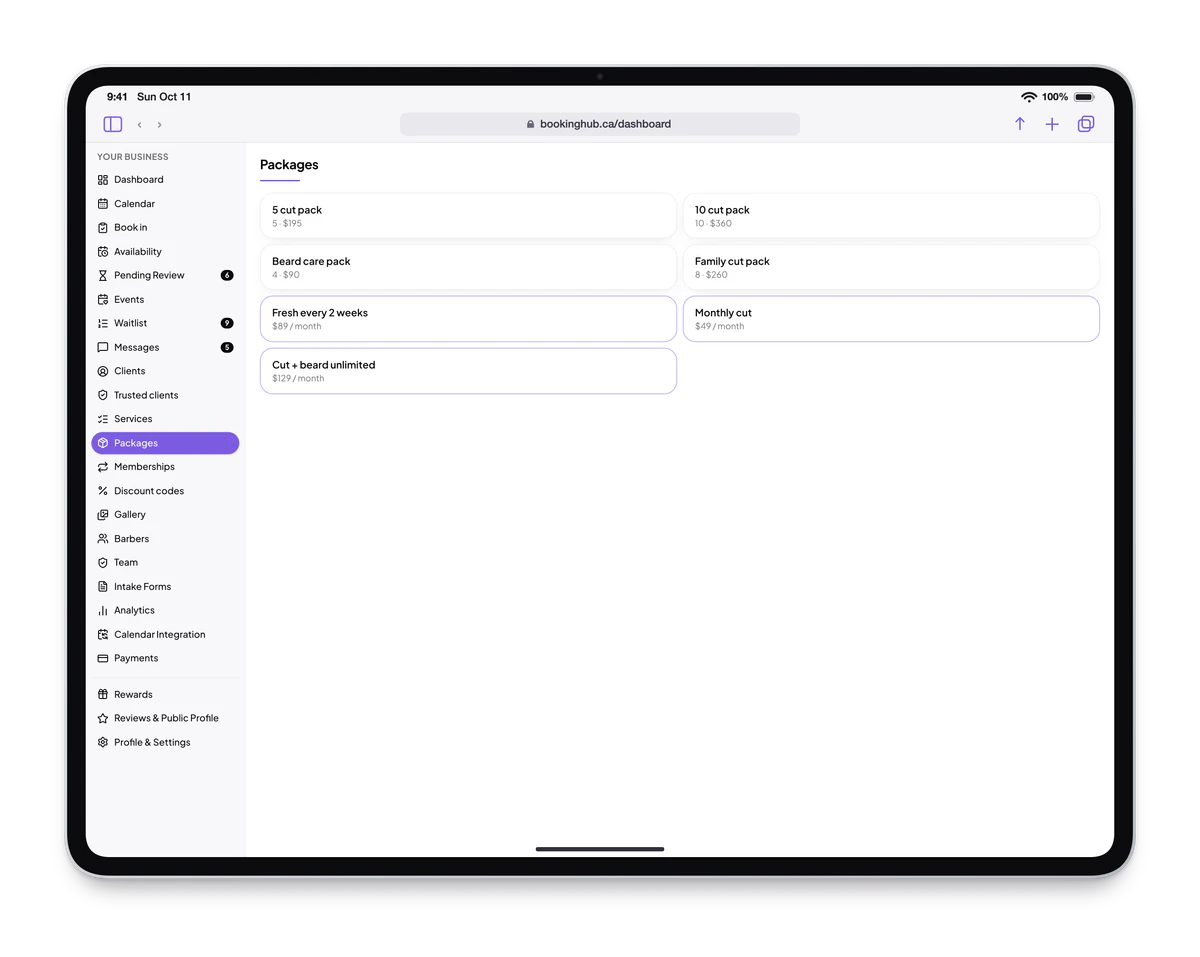
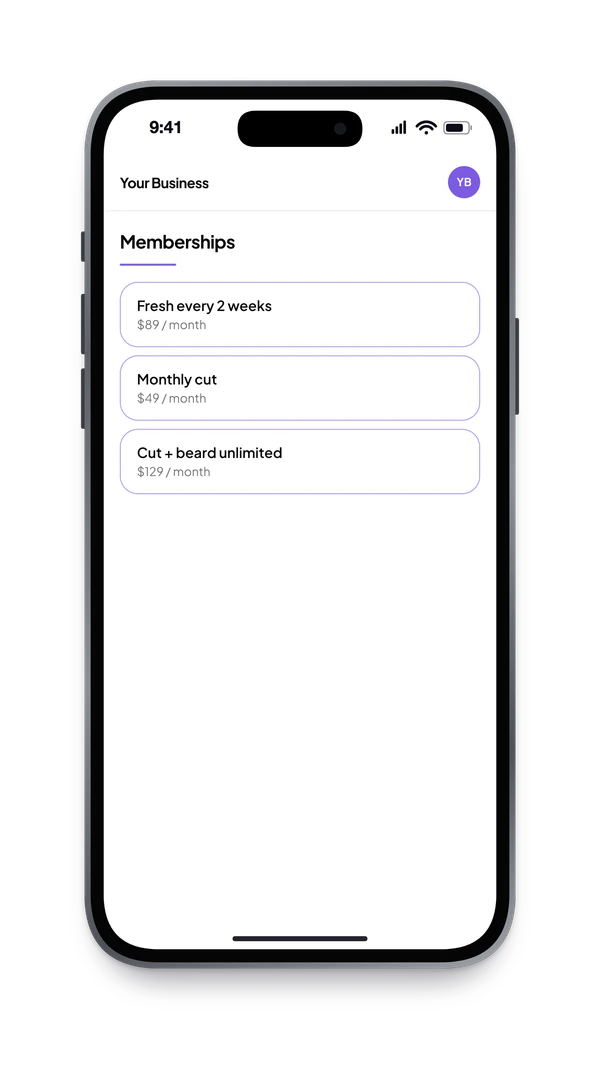
Class packs, prepaid visits and monthly memberships, paid online through Stripe. Credits come off at every visit and memberships renew on their own.
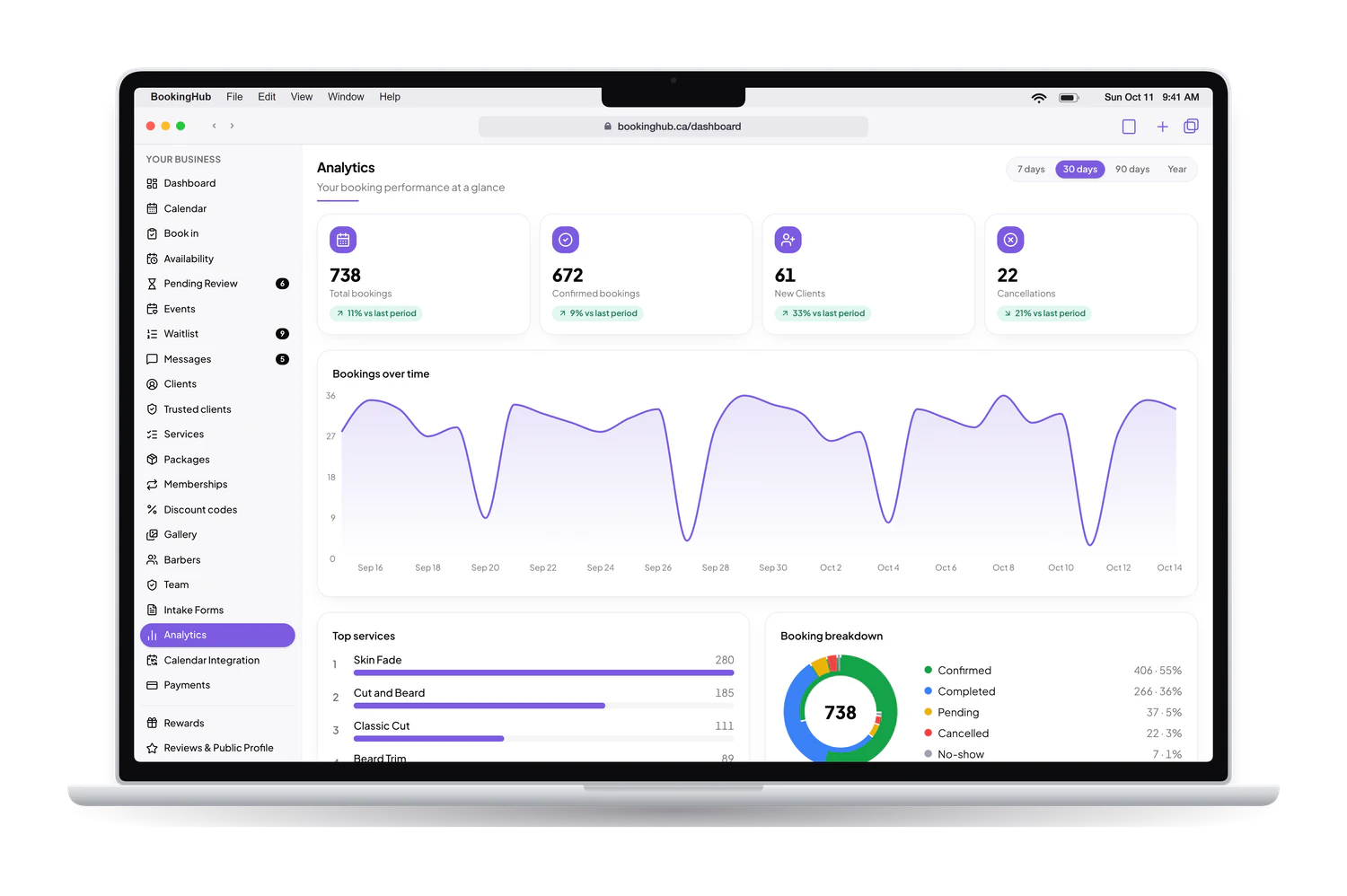
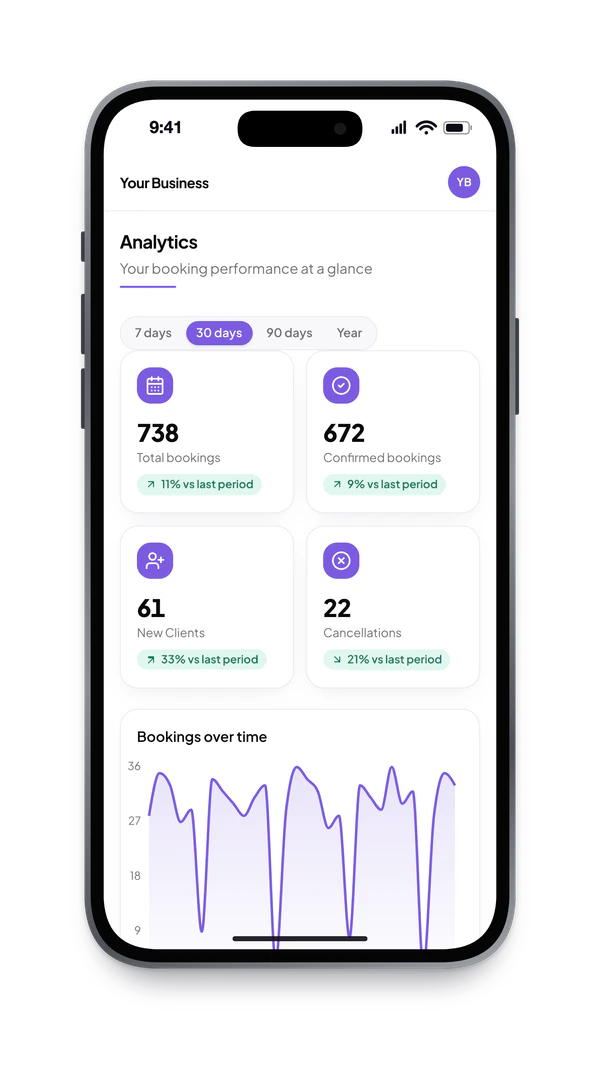
06Analytics
Bookings over time, your top services, cancellations and new clients, for the week, the month or the year.
The client side
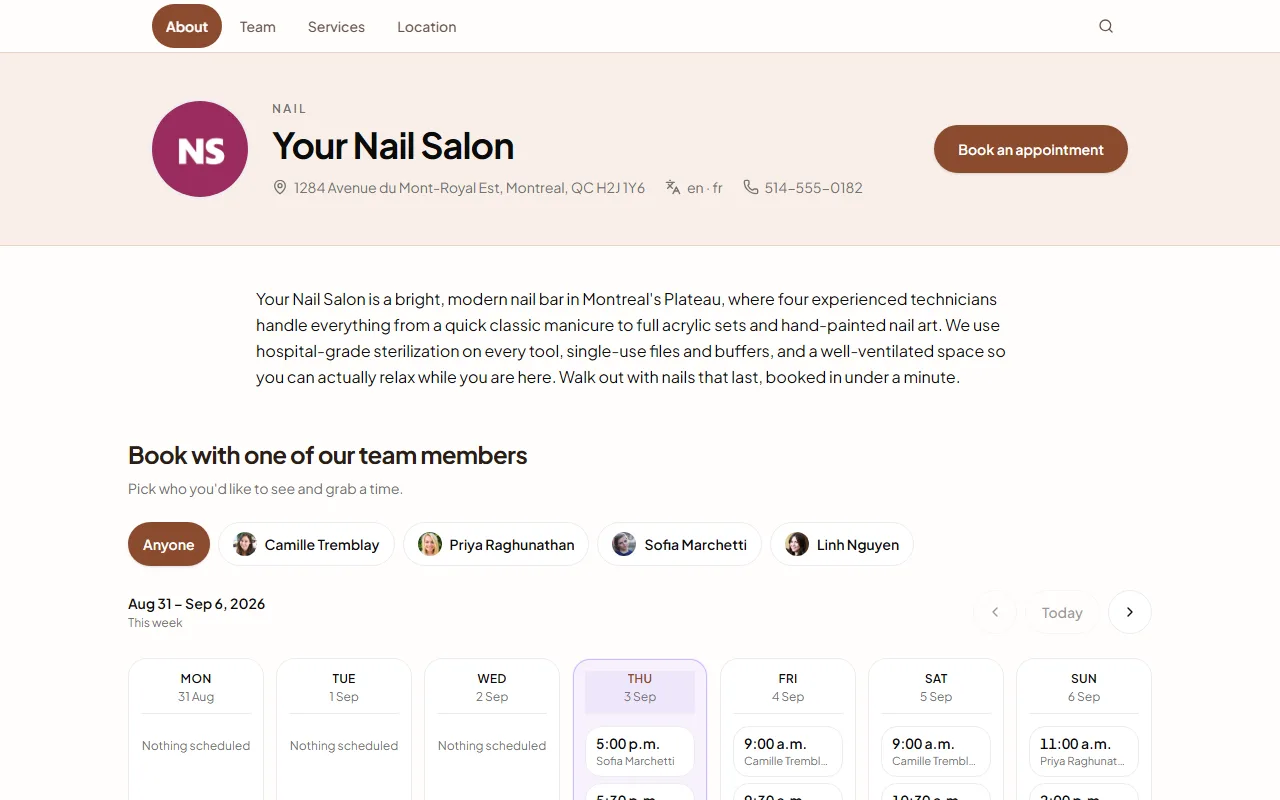
This demo business's public booking page, on a laptop and on a phone. Your colours, your services, your team, your open times.

Booking software
Every technician has their own hours, their own services and their own prices. A regular books with their person in a couple of taps, and a new client sees who has time today rather than being told to call back.
Each service carries its own length, so gel extensions, a soak-off, nail art and a simple polish change all block honestly. The day on the screen matches the day at the table, which is what stops the four o'clock pile-up.
Automatic reminders in English or French cut the quiet no-show, and a cancelled appointment is offered straight to the waitlist. A client who cancels at nine can be replaced by ten without anyone picking up a phone.
Clients can book several services in one visit, and repeat visits earn points you configure, so the salon rewards its regulars without a card anyone has to remember.
Everything built in
No add-ons to bolt on and no second subscription. Each of these ships with every BookingHub account, for every industry.
When a client cancels, the longest-waiting person on your list gets a text and an email with a claim window. If they pass, the next person is up. No calls, no paper list.
One link for your Instagram bio, your Google listing or a text message. Clients sign in with Google in one tap, pick a time and confirm.
Team view or time view, colour-coded by service. Busy time from Google, Apple or Outlook Calendar closes your availability on its own, and your bookings show up in the calendar on your phone.
Confirmations, a reminder the day before, cancellation links. All automatic, in English or French, with wording you can edit.
Take a deposit or full payment at booking through Stripe. Sell class packs and auto-renewing memberships from your page, and let credits track themselves.
Every account, every plan during early access, no add-ons.
And everything else, included
Create your account, add your services and hours, and share your booking link. Free during early access.