
Feature
Calendar sync with Google, Apple and Outlook
Your personal calendar and your booking calendar should never disagree. When they do, a client books the hour you set aside for a school pickup, and you find out too late. BookingHub reads the busy times in the calendar you already use and keeps those hours off your booking page, and it publishes your bookings as a feed you can subscribe to.
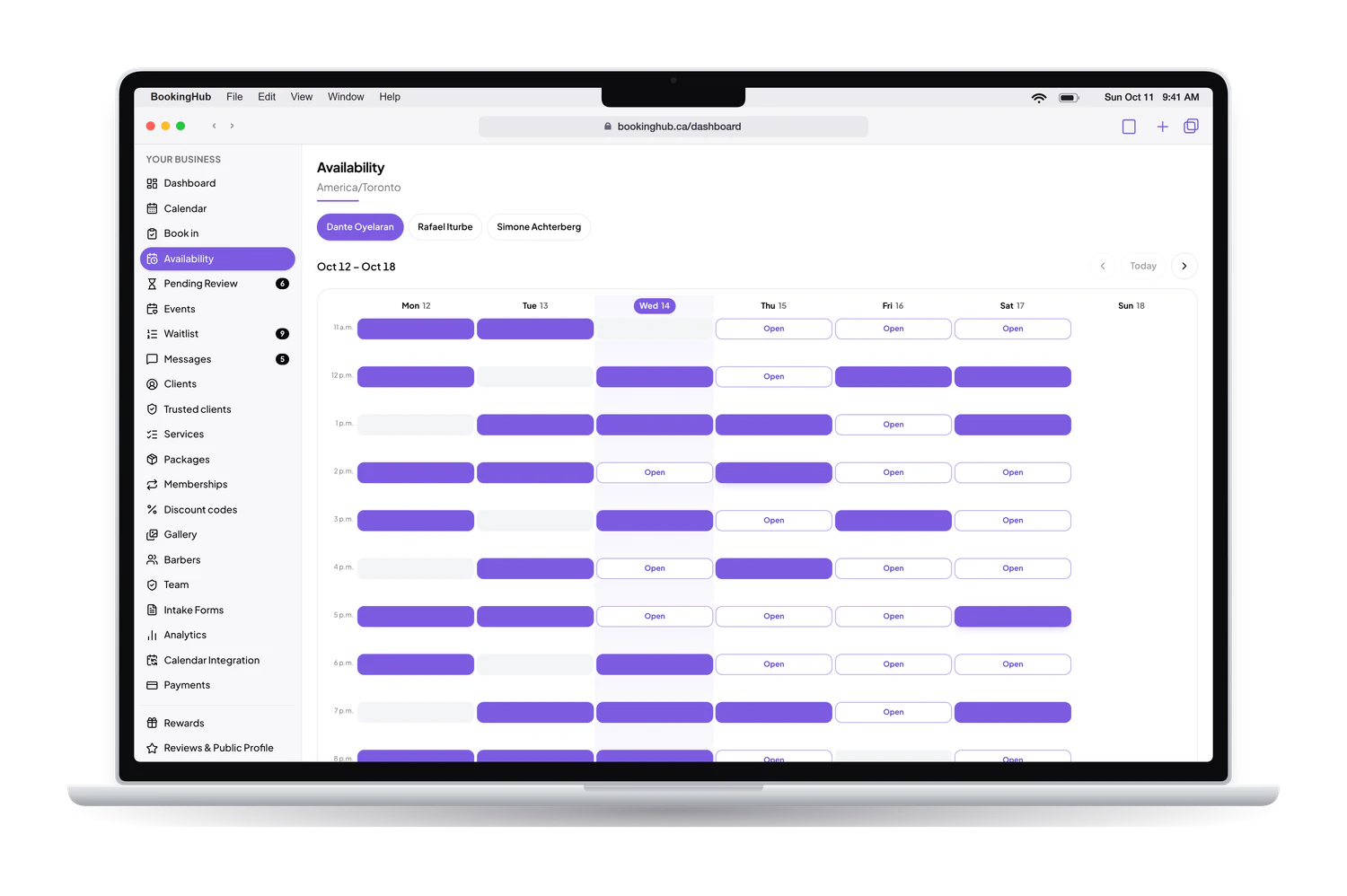
Calendar sync
What it fixes
Double bookings across two calendars
Keeping two calendars in step by hand means every dentist visit, school event and supplier meeting gets entered twice. Connect Google Calendar, Apple iCloud Calendar or Outlook, and the busy times there block the matching slots in BookingHub, so clients cannot book an hour you already gave away.
A calendar that is not on the list
Not every schedule lives in Google, Apple or Outlook. If your calendar can share an .ics link, paste it into BookingHub and its busy times block your booking slots the same way. A shared studio calendar, or the calendar of a tool you use for another part of your work, can count too.
Checking two apps to see your day
Opening BookingHub only to see what comes next gets old. Your schedule is also published as a calendar feed you can subscribe to from Google, Apple or Outlook. Your bookings then appear in the calendar on your phone, next to your own events, and you check one place for the whole day.
For virtual services, the Google connection goes a step further: BookingHub creates a Google Meet link automatically and the event lands in both calendars, yours and the client's, so nobody has to send a meeting link by hand.
Calendar sync
Works with every calendar you already use.
Keep the calendar on your phone. Bookings show up in it on their own, and anything already in it blocks that time on BookingHub, so nobody books over your dentist appointment.
Google Calendar
Sign in with Google
- Your bookings appear in it
- Your busy time blocks bookings

Apple Calendar
iPhone, iPad and Mac, through iCloud
- Your bookings appear in it
- Your busy time blocks bookings

Outlook
Outlook.com and Microsoft 365
- Your bookings appear in it
- Your busy time blocks bookings
Any other calendar
Proton, Fastmail, Yahoo and more, by link
- Your bookings appear in it
- Your busy time blocks bookings
Bookings go out
New bookings, changes and cancellations land in your calendar app without you lifting a finger.
Busy time comes in
Personal events close those hours on BookingHub, for each team member separately.
Updates in minutes
Calendars resync in the background while people are booking, not once a day.
Read only and private
We only read when you are busy. Your events are never changed and never shown to clients.
Setup
How to set it up in BookingHub
Open Calendar integration
Go to Calendar integration and pick the calendar you use: Google, Apple iCloud, Outlook, or any other calendar by its .ics link. Each team member connects their own calendar.
Connect it
Sign in to Google or Outlook, follow the steps for Apple iCloud, or paste your .ics link. From then on, busy times in that calendar block the matching slots on your booking page.
Subscribe to your feed
Copy your calendar feed link and add it to Google, Apple or Outlook as a subscribed calendar. Your BookingHub bookings then show up next to your personal events.
Questions
Common questions
What does BookingHub do with my Google Calendar?
It reads your busy times so they can block your booking slots. The one case where it adds something is a virtual service: BookingHub creates the Google Meet link and the event appears in both your calendar and the client's, so the meeting is ready for both of you.
I use Apple Calendar. Does it work?
Yes. Connect Apple iCloud Calendar from Calendar integration, and its busy times block your BookingHub slots. Your BookingHub schedule can also go the other way, as a calendar feed you subscribe to in the Apple Calendar app on your phone or computer.
My calendar is not Google, Apple or Outlook. Can I still connect it?
If it can share an .ics link, yes. Paste the link in Calendar integration and its busy times block your booking slots, the same way as the other calendars. Many calendar and scheduling apps offer that link in their sharing or export settings.
What is the calendar feed?
A link to your BookingHub schedule that you subscribe to from Google, Apple or Outlook. Once it is added, your bookings appear in that calendar alongside your own events, so you can check your day without opening BookingHub. Treat the link like a key and only share it with people who should see your schedule.
Does each team member connect their own calendar?
Yes. Each team member has their own calendar in BookingHub, so each one connects their own Google, Apple, Outlook or .ics calendar, and their busy times only block their own slots. Each person can also subscribe to their own schedule as a feed.
Run your bookings from one place
Create your account, add your services and share your booking page today. Free during early access.