
Feature
A cancellation waitlist that refills open slots
A cancellation the day before usually means an empty slot, because nobody has time to call down a list of clients hoping one of them can come. BookingHub keeps that list for you. When a booked slot opens, the client who has waited longest is notified and gets 30 minutes to claim it. If they pass, the next person is offered it.
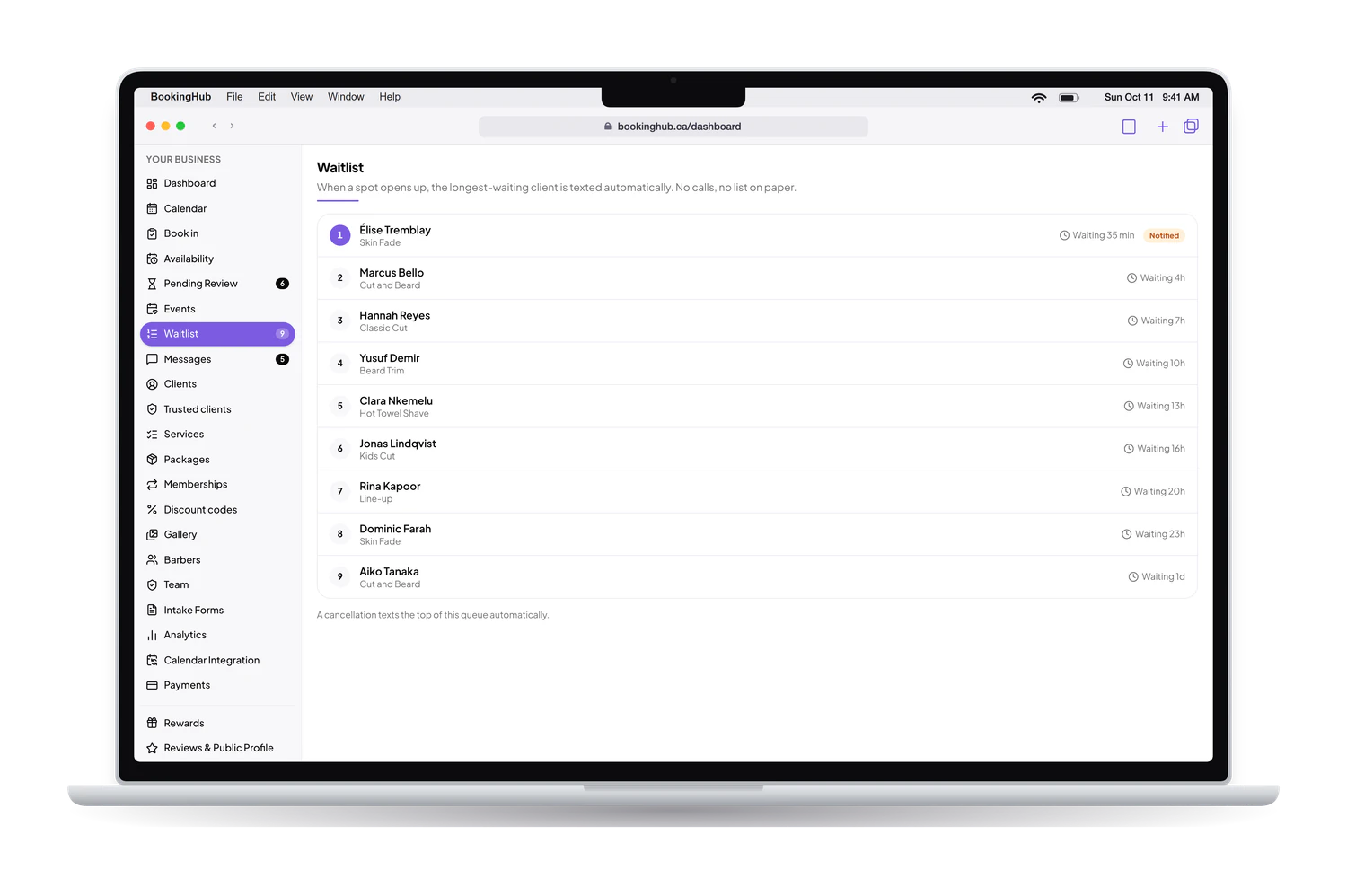
Cancellation waitlist
What it fixes
The phone round after a cancellation
When a client cancels, someone has to decide who to call, find their number, leave a message and wait. By the time anyone answers, the morning is gone and so is the slot. The waitlist does that round on its own and in order, while you keep working with the client in front of you.
Choosing who gets the opening
Picking from memory means the same few regulars hear about every opening, and the client who asked weeks ago never does. The waitlist goes strictly by who has waited longest. The order is the same every time, so you never have to explain why one client got the slot and another did not.
Offers that sit unanswered
An offer with no deadline keeps you waiting on one person while the hour gets closer. Each person on the waitlist has 30 minutes to claim the opening. If they do not, it moves to the next person automatically, so the slot keeps being offered while there is still time to fill it.
The waitlist works hand in hand with your cancellation cutoff. Clients cancel from their account early enough for the slot to be offered again, and the next client in line gets a fair chance to take it.
Setup
How to set it up in BookingHub
Open your availability
In Availability, set the hours each team member can be booked. The waitlist offers the slots that open up among those booked appointments, so it starts working as soon as your calendar fills.
Set a cancellation cutoff
In Settings, choose how close to the appointment clients can still cancel or reschedule from their account, for example no changes within 24 hours. Earlier cancellations leave time to offer the slot again.
Let clients join from your page
Clients who want an earlier time join the waitlist from your booking page. When a booked slot opens, BookingHub notifies them one at a time, in order, and the person who claims it books the slot.
Questions
Common questions
How does a client get on the waitlist?
From your booking page. A client who cannot find a time that suits them, or would like something earlier, joins the waitlist there. Their place in line is set by when they joined, and the client who has waited longest is always the first to hear about an opening.
How long does a client have to claim an opening?
30 minutes. If the client who was notified does not claim the slot in that time, it is offered to the next person on the waitlist, and so on down the line. You do not have to watch the clock or send a second message yourself.
Do I have to do anything when a client cancels?
No. When a booked slot opens, the waitlist notifies the client who has waited longest automatically, whether the client cancelled from their account or your front desk cancelled for them. What you see is the result: the time filled again on your calendar.
Does the waitlist replace a cancellation policy?
No, the two work together. Your cancellation cutoff decides how late a client can still cancel or reschedule from their account. Cancellations made before the cutoff give the waitlist time to offer the slot to someone else, while a client inside the cutoff is asked to contact you.
Do I need to take deposits for the waitlist to work?
No. The waitlist works with or without online payments. If you do take a deposit through your own Stripe account, the client who claims an opening books it like any other client, so the same deposit applies to them as to everyone else.
Run your bookings from one place
Create your account, add your services and share your booking page today. Free during early access.